Your numpad, doing something useful.
Bind every key to an app, a link, a folder, a sound, a macro or an audio-device switch. Seventeen keys, twenty-four profiles, and it stays out of the way in the tray until you press something.

Bindings
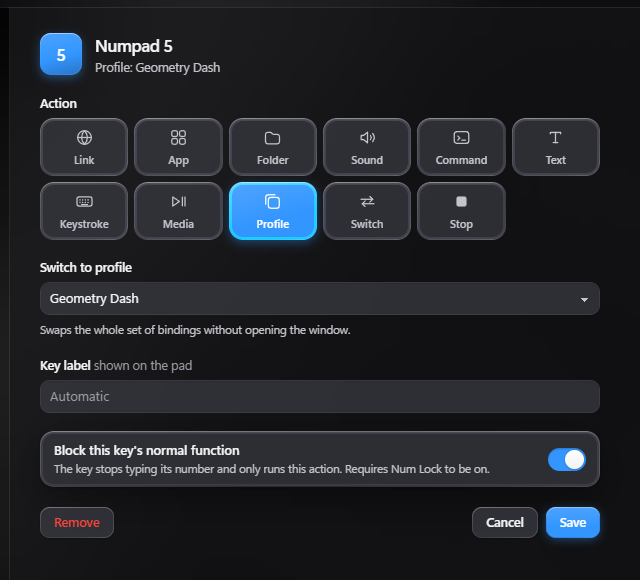
Eleven things a key can do
Open an app or a folder. Fire a link. Play a sound. Type a snippet. Send a keystroke. Run a command. Switch profile, switch audio device, or stop every sound at once.
- Block the key's normal number. It only runs your action.
- Up to 24 profiles. Keep one for work and one for each game, and switch with a key.
- Profiles that follow your games. Link a game and its profile turns on when you open it.
Audio
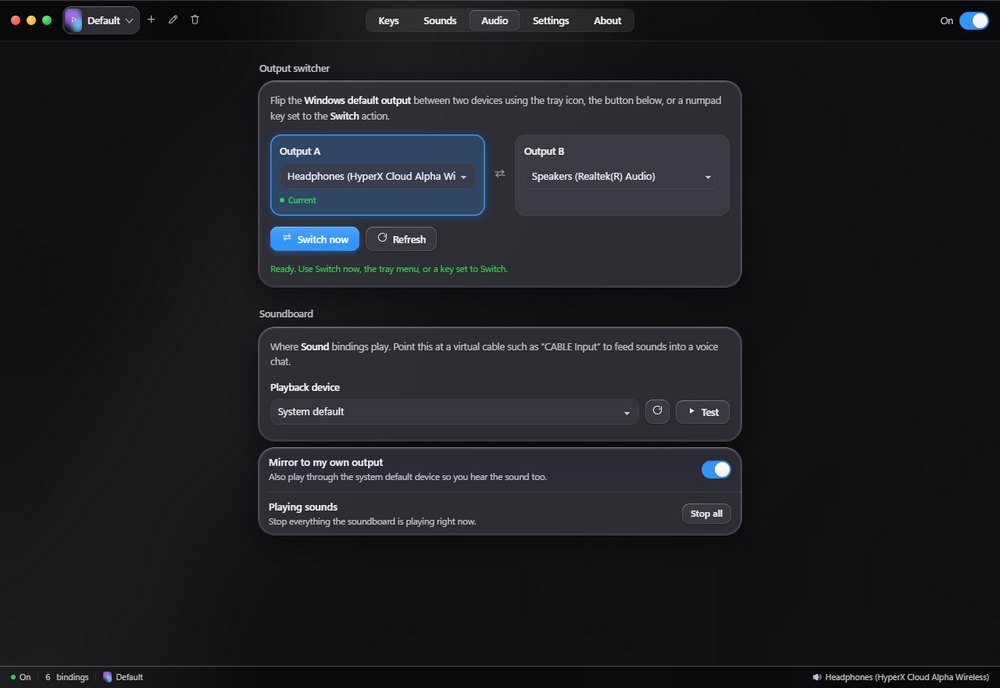
Speakers to headset, one key
Pick two output devices and flip Windows between them from a numpad key, the tray icon or a button, without opening the Windows sound settings.
- Soundboard. Play your own clips into a virtual cable so your voice chat hears them.
- Mirror mode. Hear the clips yourself at the same time.
- Volume, trim and fades for each sound, plus a key that stops everything at once.
Appearance
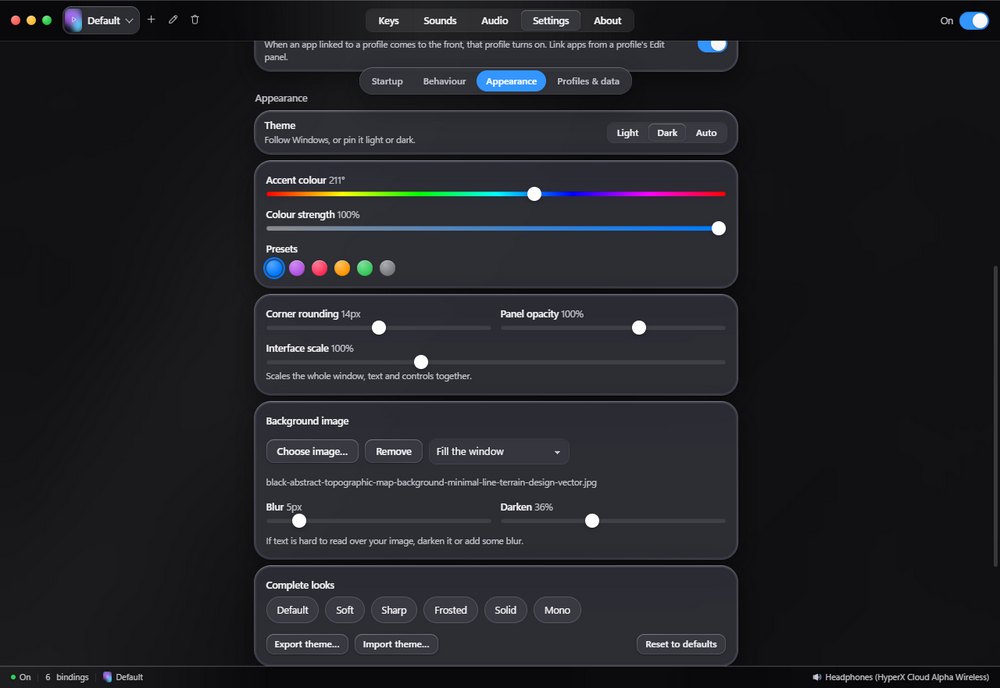
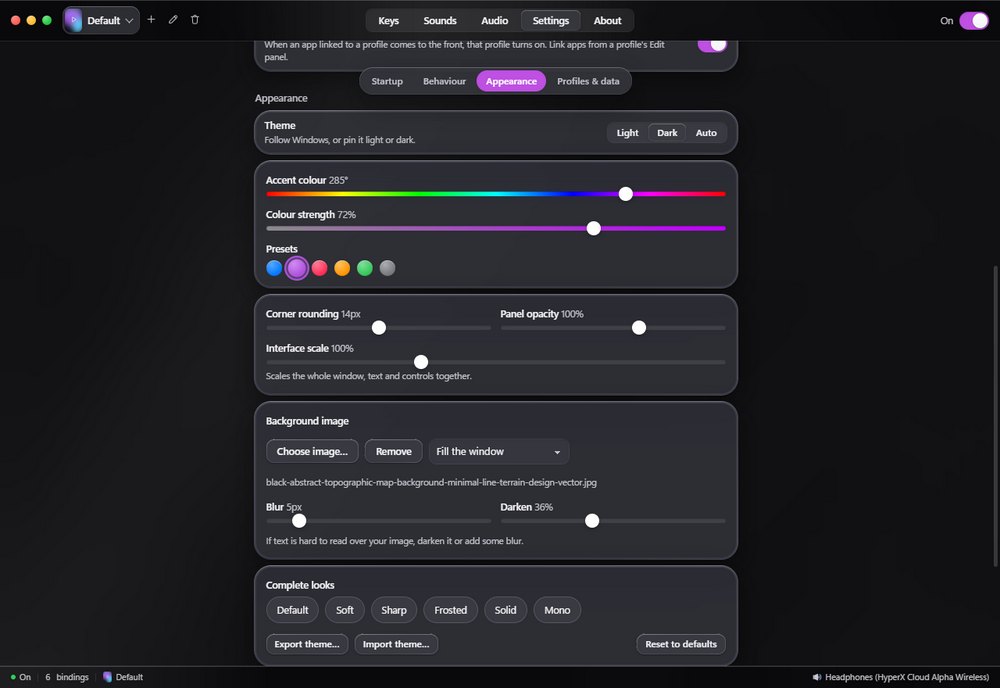
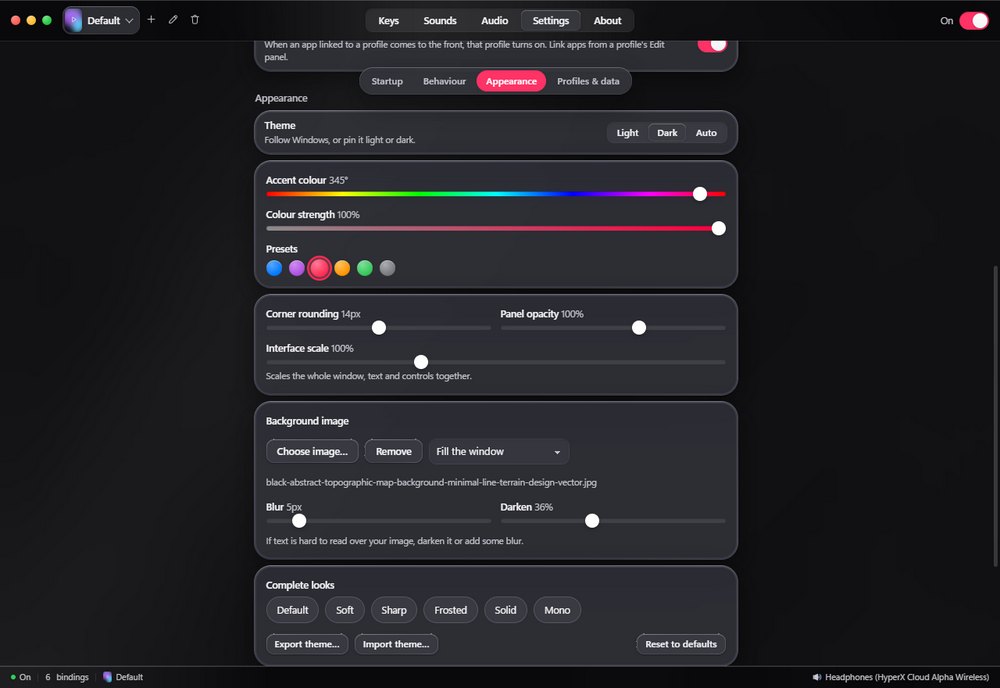
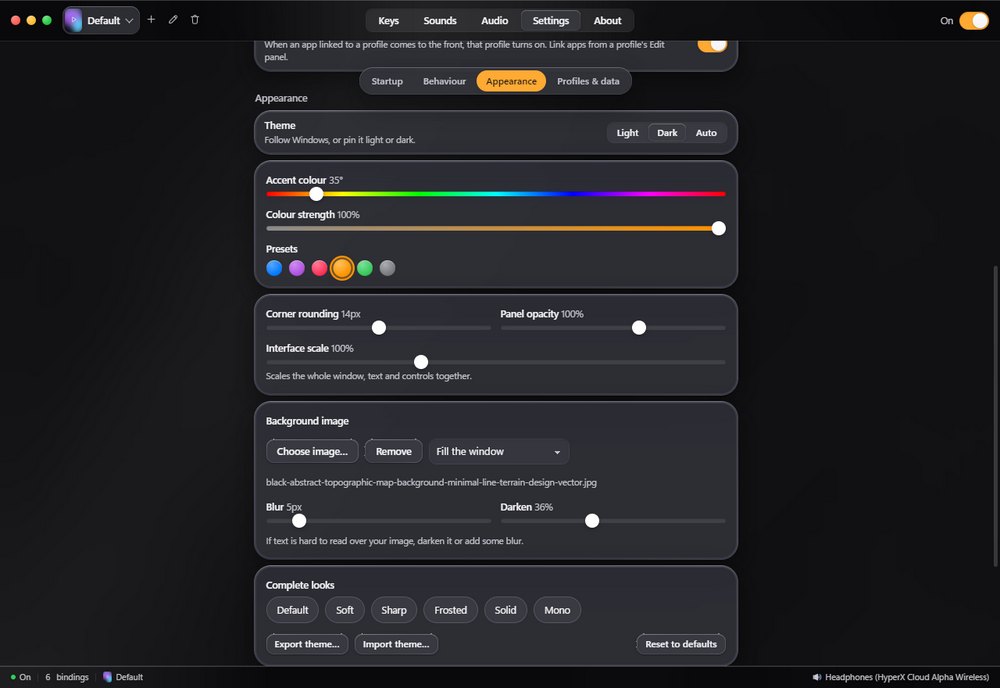
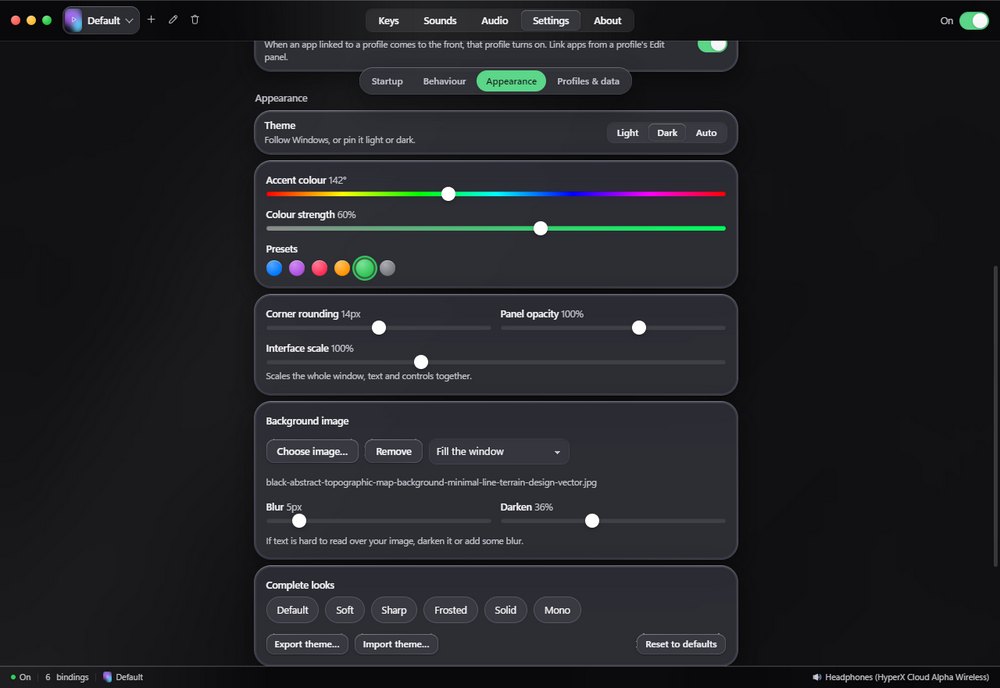
Make it look the way you like
Pick any accent colour, round or square corners, clear or solid panels, and your own background image. Every profile keeps its own look, so switching profiles switches the whole theme. Profiles can have a cover, like your game's box art from Steam.

Behaviour
Stays out of your way
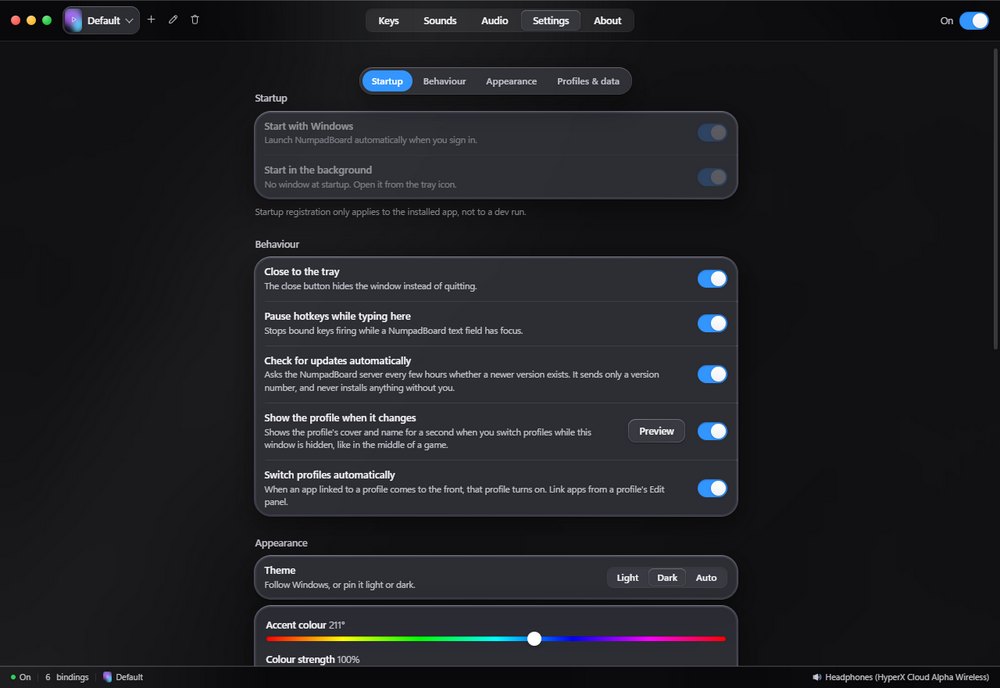
Starts with Windows, hides in the tray, and pauses itself while you type in its own fields so a bound key never fires at the wrong moment.
- Updates install from inside the app, and only when you click to install them.
- It barely uses the internet. Only to activate, to renew a monthly licence, and for an update check you can turn off.
- Everything else stays on your PC. There's no account to make and no usage tracking.
Getting started
Running in about a minute
Download and install
Windows 10 or 11, 64-bit. The trial is the complete app.
Click a key, pick an action
Choose what it should do and press Save.
Leave it running
It lives in the tray and starts with Windows.
Questions
Things worth knowing
What happens after the 14 days?
The app keeps your bindings but stops firing them until you buy. Nothing is deleted, and buying picks up exactly where you left off.
What does it cost?
$9.99 once for a lifetime licence, or $1.99 a month if you would rather spread it. Both are the same app; the lifetime one never expires.
Can I move it to a new PC?
Yes. Choose “Remove from this PC” in the app and the key frees up right away. If the old PC is gone, email me and I'll reset it.
Does it need the internet?
Once, to activate. After that a lifetime licence works entirely offline; a monthly one checks in briefly near each renewal.
Windows says the installer is unrecognised. Is that safe?
Yes. Windows shows that warning for any installer without a code-signing certificate, which costs a lot every year for a small app. Click More info, then Run anyway.
What if I don't like it?
Email camerontweedy6@gmail.com within 14 days of buying and I'll refund you.
Try it free first
The trial is the full app for 14 days. Your settings carry straight over when you buy.